
On the Search Tab, App Admins can configure additional custom text attributes to be included in search queries. By default, the out-of-the-box Status Message and Description attributes are now included, enabling users to search across a broader set of data and quickly surface the most relevant work items.
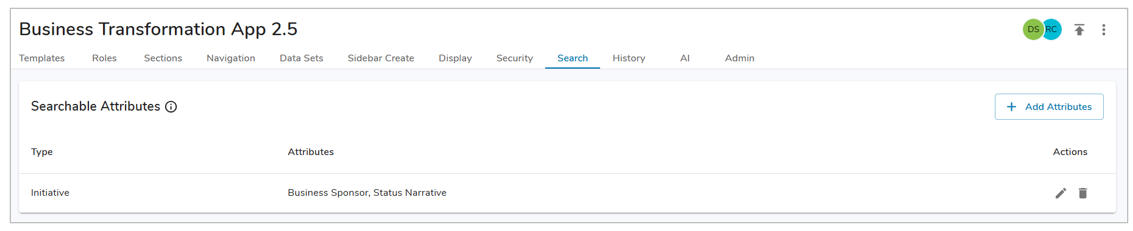
Adding a Searchable Attribute
- Select the ‘+ Add Attributes’ button.
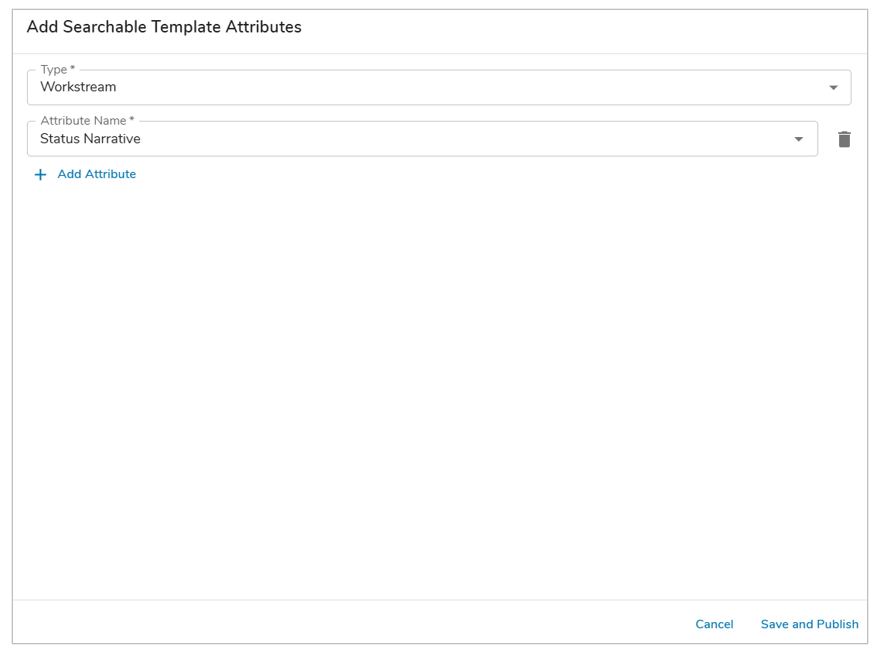
- In the Type drop down, choose from the available template types.
- In the Attribute Name drop down, choose from the available attributes.
- Optionally, add additional attributes as desired. Select Save and Publish.
Notes:
- Admin-only attributes are not available for selection.
- Selected Attribute values are searchable using the search button in the left navigation bar.
- Custom text attributes that are not calculated or admin-only are available for selection.