
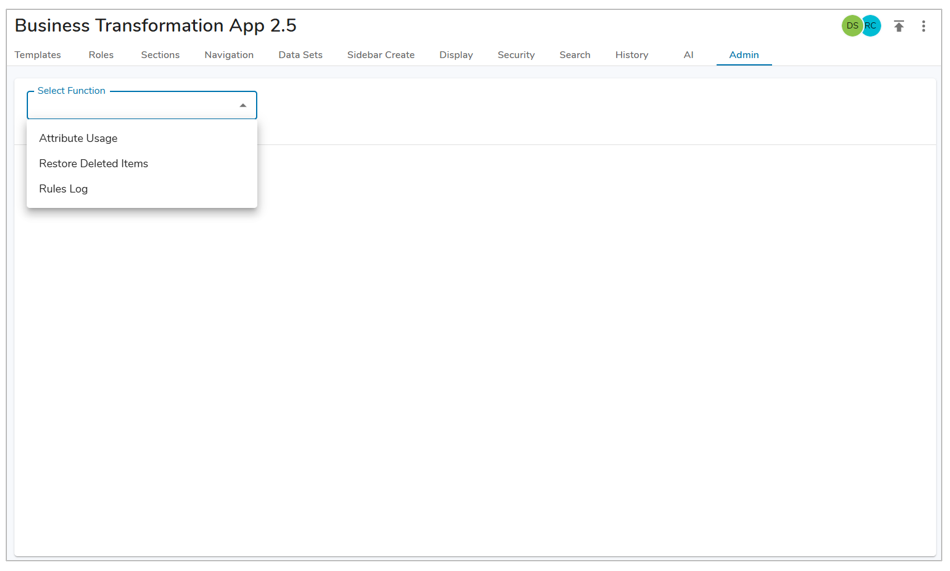
App Admins have access to three administrative functions: Attribute Usage, Restore Deleted Items, and Rules Log. These tools provide greater transparency into solution configuration and activity.
Attribute Usage
App Admins can access the Attribute Usage page to view where attributes are being used, and more importantly, where they are not, across the solution. This provides clear visibility into attribute health, helping reduce unnecessary configuration and prevent technical debt.
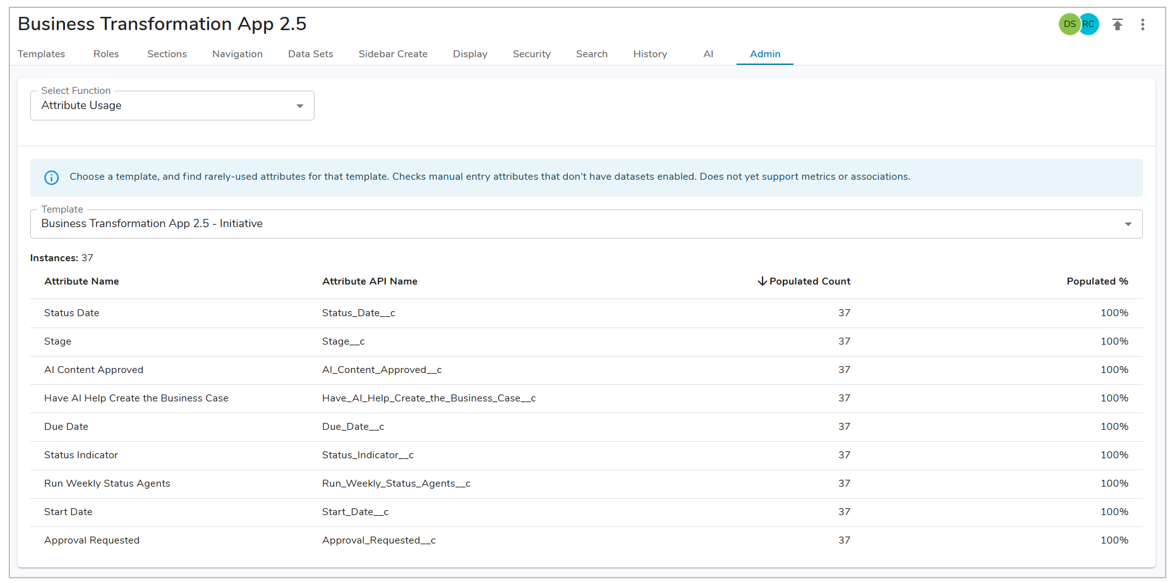
- On the Admin tab, from the Select Function drop down choose the Attribute Usage option.
- Select a template from the respective drop down, once a template is chosen the attributes configured and number of instances of the template will be displayed.
- The rows will provide the Attribute Name, Attribute API Name, Populated Count, and Populated %.
Restore Deleted Items
App Admins can access the Restore Deleted Items page to recover previously deleted records when needed. Providing greater control, faster resolution of accidental deletions, and improved autonomy in managing overall solution health.
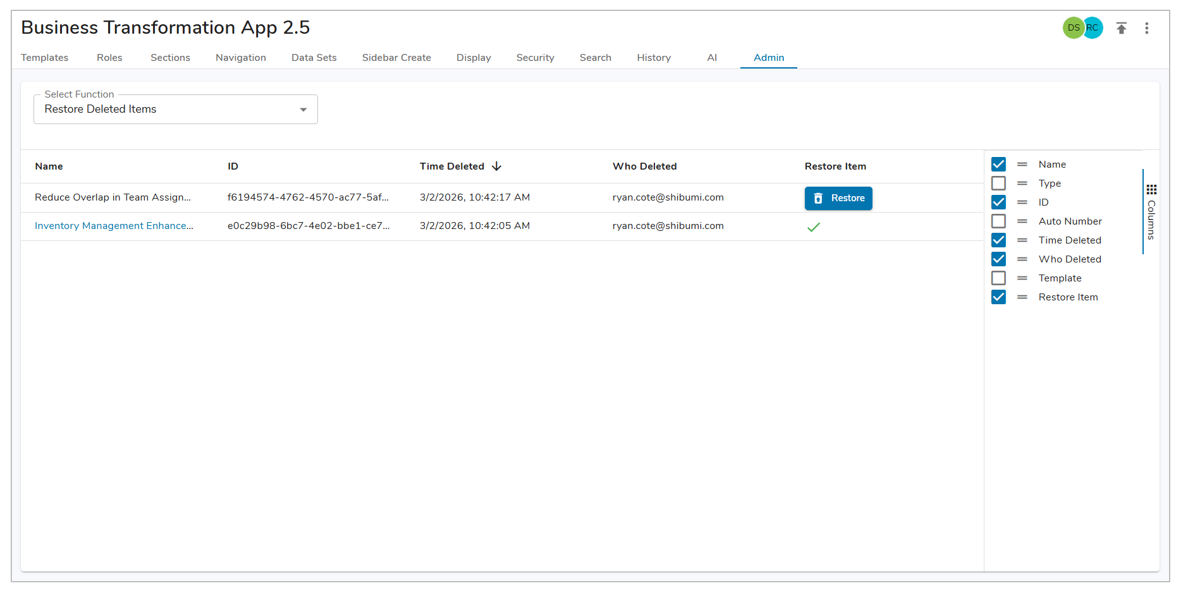
- On the Admin tab, from the Select Function drop down, choose the Restore Deleted Items option.
- To restore a work item, select the blue Restore button.
- Once an item has been restored, the blue Restore button will be replaced with a gree check mark and the work item’s name will now be hyperlinked.
Rules Log
App Admins can leverage the RUles Log to review and audit Business Rule activity directly, providing critical insight into when rules are initiated, how they run, and where issues may occur – strengthening governance, improving troubleshooting efficiency, and expanding overall administrative monitoring capabilities.
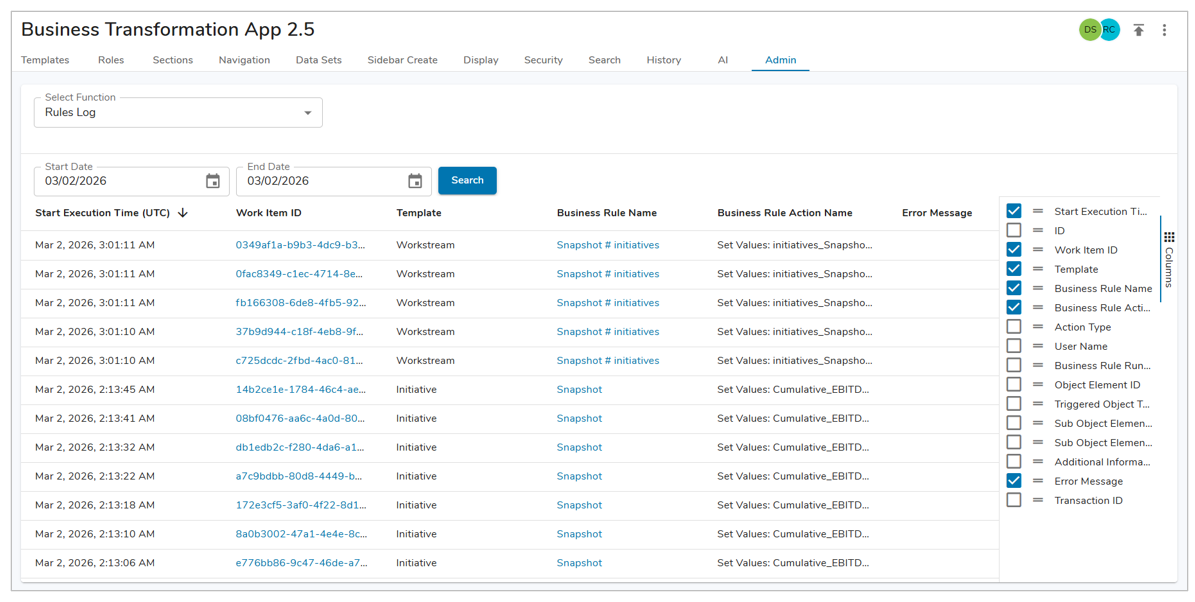
- On the Admin Tab, from the Select Function drop down, choose the Rules Log option.
- Define a Start Date and End Date, by default this will be set to today.
- Additional Columns can be added to the Rules Log via the Columns toggle on the right side of the screen.
- Selecting a hyperlink will take you to the respective page (work tiem, Business Rule, etc.).